The app will let you do this badly. One giant set, every song trimmed twice, live mode never switched on, and a phone at 11% by the second half. It will mostly work, right up until it doesn’t.
What follows is not a list of features. It is what changes once you have played a few gigs with this thing in your pocket.
Own a song once, not three times
Most working musicians play the same track in more than one place. The same backing track sits in the pub set, the wedding set and the acoustic set, and it is the same recording every time.
Put it in the “Library” instead, and you own it once. Set its boundaries, its mix and its chord chart in one place, and every set that uses it follows immediately. No copies to keep in step.
The alternative is what most people do first, and it goes like this. You trim the half-second of silence off the front, in one set. Two weeks later a different set fires the same song and it comes in late, because that copy was never trimmed. You fix it. A month after that, the third one catches you out on stage.
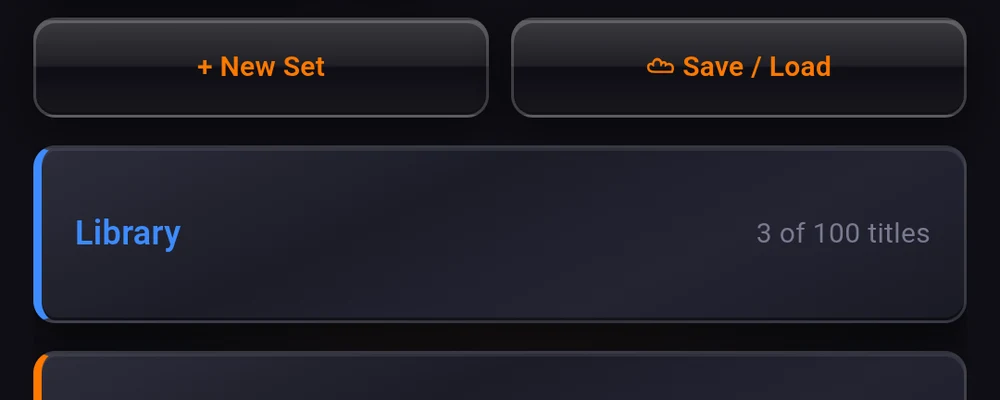
Sharing the recording does not flatten the performance. Each pad keeps its own type, its own level, its own count-in and its own chaining, so the same song can be a hard cut in one set and a chained segue in another. What is shared is the recording and what belongs to the recording.
Two smaller reasons, both real. The audio file lives on the phone once instead of three times. And backing up the library to the cloud costs you no credit, unlike backing up a set.
The free plan carries fifteen titles, which is more than enough to find out whether this suits how you work. The library covers the how: moving a song you already have into it, pointing a pad at a title, and what happens when you remove one.
Switch live mode on before you walk out
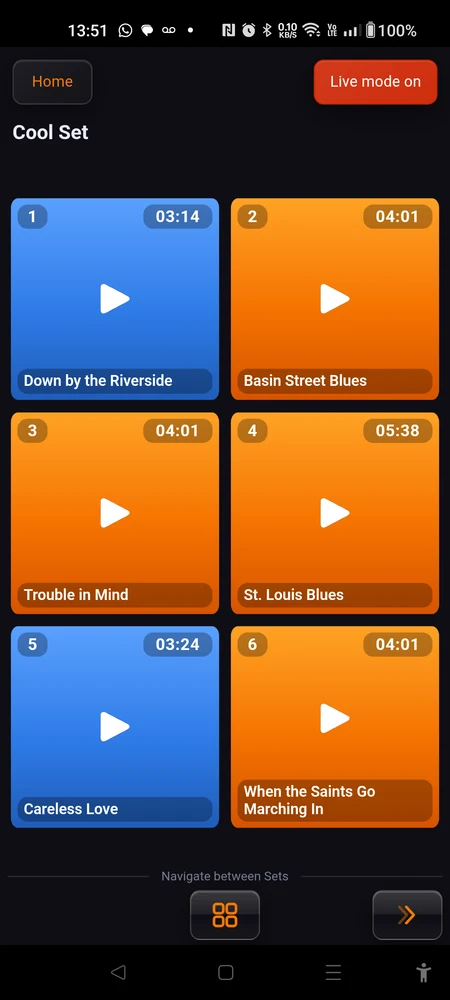
Live mode is a switch on the home screen and on every set page. It reads “Live mode off” until you tap it, then “Live mode on”. It stays where you left it, so it survives closing the app.
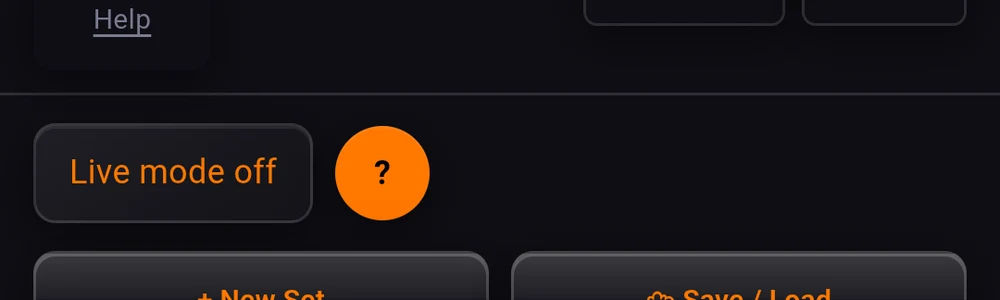
It takes things away, which is the point. Nothing on stage is improved by having a backup button within reach of your thumb.
- Editing goes. The “Edit mode off” button disappears, and with it the way into pad settings, the grid size buttons and the cloud saves for that set.
- The account area goes, along with ”☁ Save / Load” and the note from the developer. So does the “Library” card. Nothing that can be reorganised can be reorganised by accident.
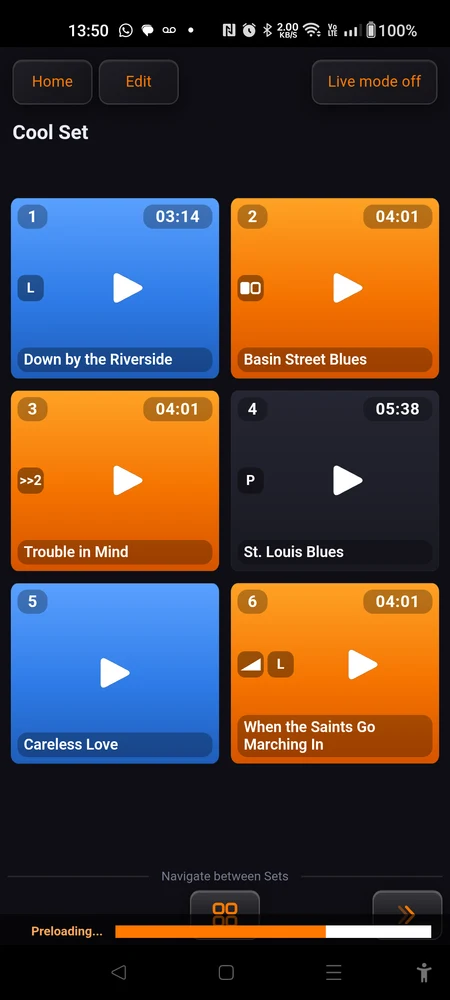
- The pad badges go. Out of live mode, a pad carries little marks telling you it is chained, that it has a count-in, that it will throw lyrics on screen. Those are notes to yourself, written while preparing. On stage a pad shows what it does and nothing about how it is set up, and its name gets the room back.
- The seek bar goes. Scrubbing through a track is a rehearsal gesture, not a performance one.
- Lyrics and chord charts go full screen. Out of live mode the view stops short so the app around it stays reachable. In live mode the page is the whole screen, which is what you want at two metres.
- Background cloud sync pauses while a song plays. Uploading a set is not something that should be competing for the phone while it is feeding the PA.
The app’s own live mode dialog, behind the ”?” button, says the phone stops going into standby when you turn live mode on. That is out of date and we have not got round to fixing the wording. The screen stays awake the whole time Stage Player is in the foreground, live mode or not. Pressing the power button still locks the phone, as it should.
One thing live mode cannot do for you: airplane mode and Do Not Disturb. Android does not let an app force either of them, so they are yours to switch on, by hand, every time. A call arriving mid-song is the one interruption that no amount of preparation prevents.
Make it part of the same thirty seconds. Airplane mode, Do Not Disturb, live mode, then go on.
Small sets beat one big one
The instinct is to build one set with everything in it. Resist it.
Build three or four small ones instead, by mood or by function: calm, dancing, funk, encores. Inside each of those, the songs already belong together, so you can chain them and let a run of three play as one long piece.
What you get is the best of both. Clusters that run into each other without anybody touching the phone, and a choice at the end of every cluster about where the evening goes next. A room that wants to dance gets the dancing set. A room that has gone quiet gets the calm one, and you didn’t have to hunt for those four songs among thirty.
The trade-off is honest and worth saying out loud. More sets means more moving between them, and moving between sets is a thing you do with your hands during a gig. Fewer sets means less of that, and less freedom to react. Somewhere between three and six is where most people land.
One practical footnote: cloud backups are counted per set, one credit each, while the library is not counted per set at all. So splitting one big set into four does not multiply the songs you own, but it does mean four sets to back up rather than one.
Know how you will move between sets
Two ways, and you want to have decided which one before the gig, not during it.
By hand. At the bottom of a set (in the side column, in landscape) sits “Navigate between Sets”: a previous arrow, an “All sets” grid button, and a next arrow. The arrows step through your sets in order, so put them in the order you expect to play them, using “Change order” on the home screen. Then the next set is one tap away, and the grid button is there for the night the room decides otherwise.
By itself. Chaining is not limited to the set you are in. In a pad’s settings, tap the “Chained play:” card, pick the “Next Song:”, and use “From set:” to point at a different set. When the song ends, the app plays that next song and opens its set for you. The last song of the calm set can hand over to the first song of the dancing set with nobody touching anything.
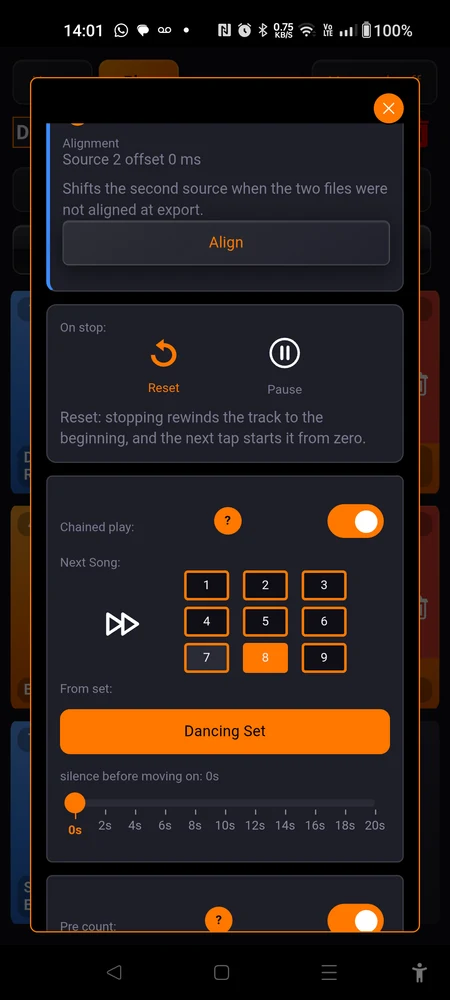
That is the trick worth knowing: it turns a pile of small sets back into one continuous show, without giving up the ability to break out of it.
Two small things that save gigs
Put the phone on charge. The screen never sleeps while the app is open, and a screen that never sleeps costs battery all evening. Any cable to any USB socket at the side of the stage will do. It is a two-second habit that removes a whole category of disaster.
Run the whole set once at home, in live mode. Not the settings, the set. Play every pad, from the top, in the mode you will actually use, and listen for the three things that only show up this way: a track that starts a beat late because you never trimmed it, a level that is wrong against its neighbours, and a chain that lands on the wrong song.
Half an hour on the sofa, with the phone in the state it will be in on stage. It is the cheapest rehearsal you will ever do.
Where to go next
Preparing a pad is the reference for everything a pad can be told to do: count-ins, fades, chaining, and putting lyrics or a chord chart on screen so it follows the track.
The library is the one to read if the first section above described your situation, which it probably did.