Chord Analyser
Android and iPhone
An interactive and reverse chord dictionary bridging Piano, Guitar, Banjo and all stringed instruments. Press the keys, get the chord. Pick a chord, explore every position. Powered by an advanced algorithm that goes far beyond any static dictionary.
The chord tool musicians have been waiting for
Whether you're a guitarist struggling to identify a chord on a score, a composer searching for the most elegant notation, or a pianist curious about alternative voicings - Chord Analyser bridges the gap between notation, keyboard and fretboard.
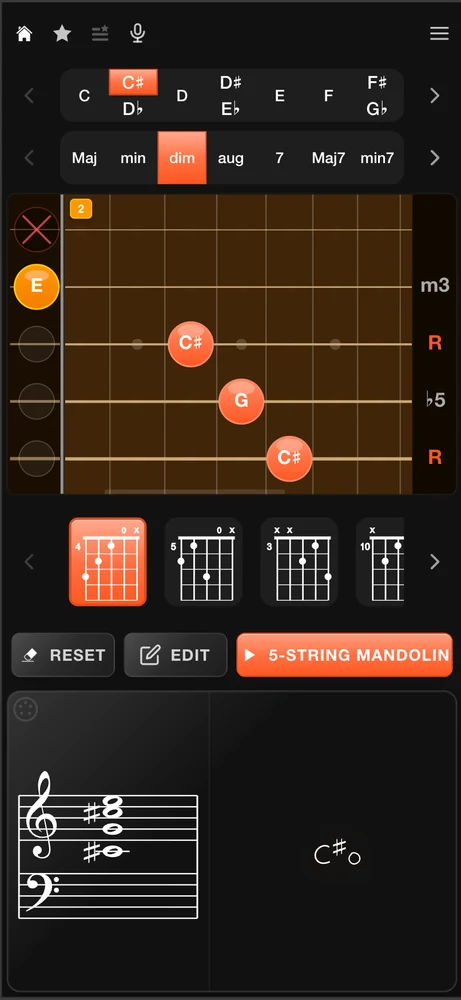
Enter notes on the piano keyboard or tap frets on the guitar neck: the app instantly recognizes the chord and suggests its most accurate musical notation. Conversely, select any chord from the built-in dictionary to visualize all playable positions across guitar, banjo and beyond.
Unlike traditional chord books that only show fixed positions, our algorithm calculates every theoretically valid voicing - including inversions, slash bass chords and encrypted notations - giving you far more creative options.
One of the best chord-chart editors - right on your phone
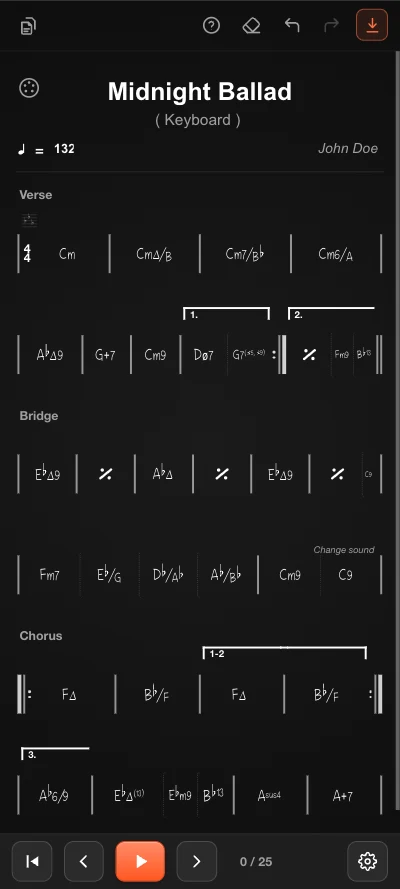
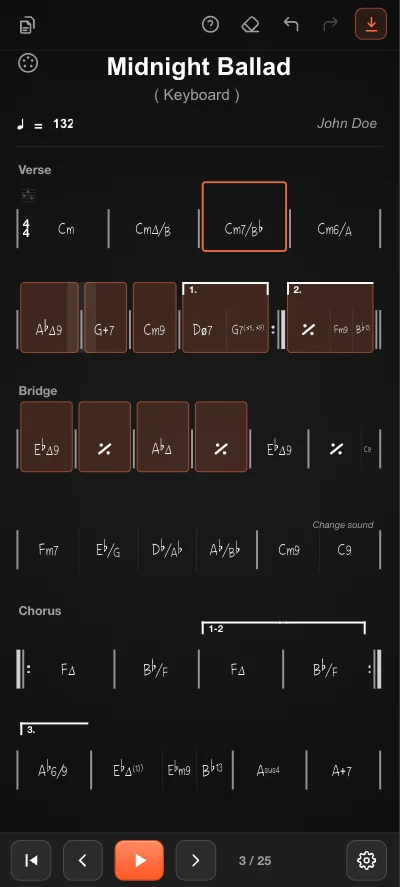
Chord Analyser now ships with a complete chord-chart editor - and we believe it's one of the best on the market, especially on mobile. Writing a chart used to mean a desktop, a mouse and a steep learning curve. Now it's a handful of taps: lay out a full song in minutes and export a clean PDF.
Gestures built for touch
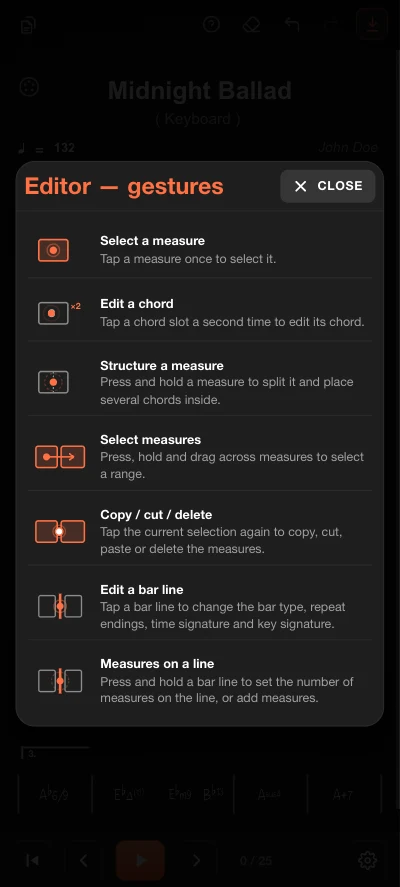
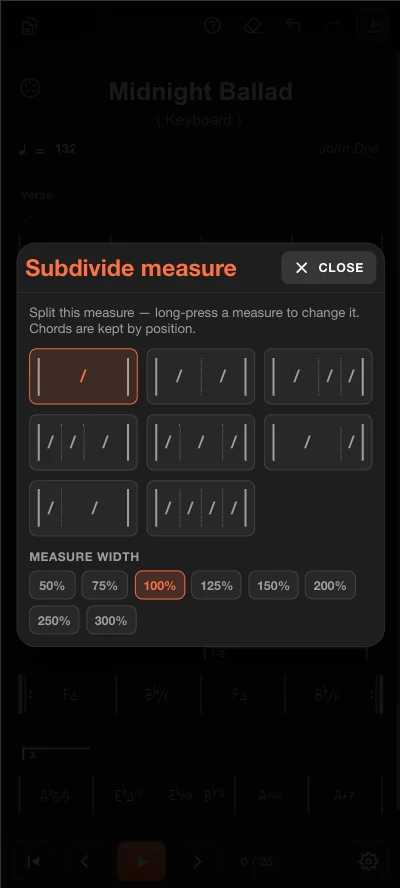
Tap to select a measure, tap again to edit a chord, long-press to subdivide a bar, drag across measures to select a range, tap a bar line to change its type. The whole editor is driven by natural gestures - no menus to dig through.
Three ways to enter a chord
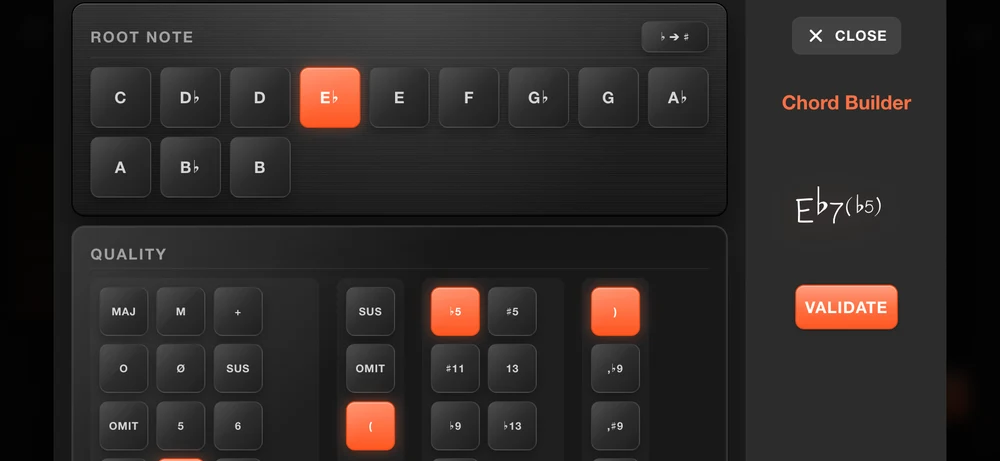
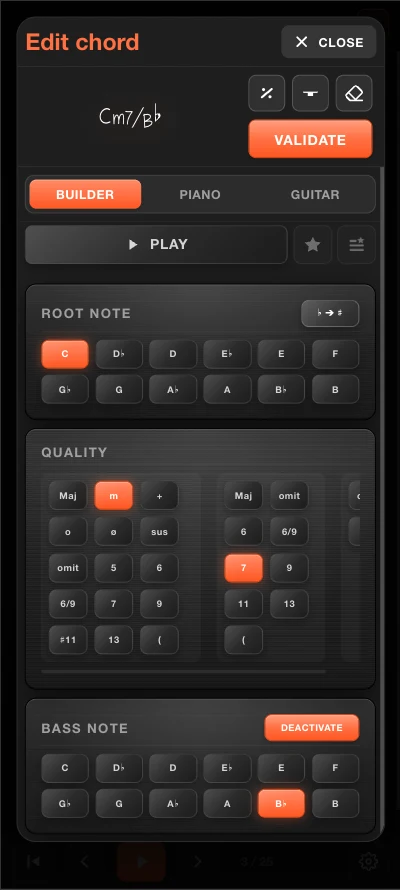
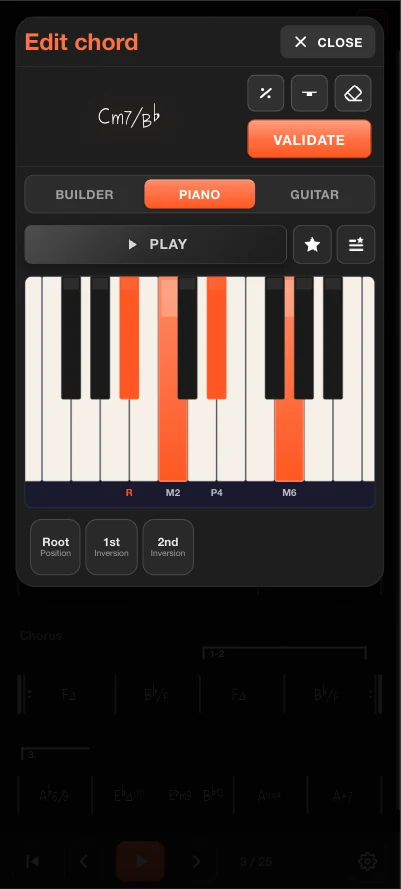
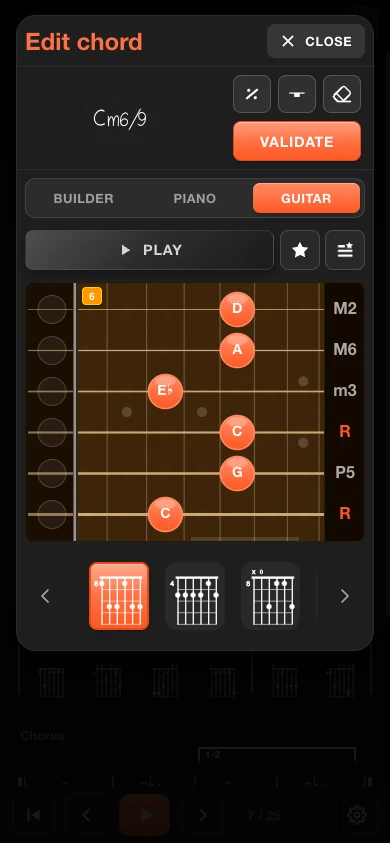
Use the graphical builder (root, quality, extensions, slash bass), or simply play the chord on a virtual piano or guitar neck. Every entry is checked by the same engine that powers the chord dictionary.
Tablatures for every instrument
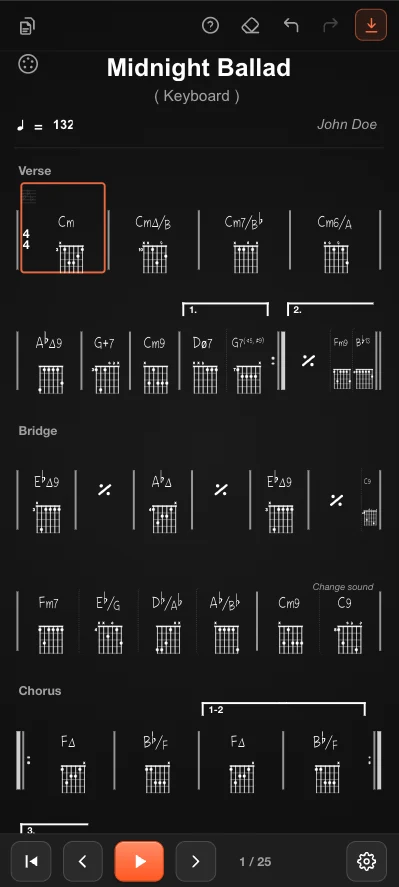
Show fingering diagrams beneath each chord - guitar, banjo, ukulele and more - including open and custom tunings. Positions are computed on the fly, never pulled from a fixed list.
Keys, signatures & complex structures
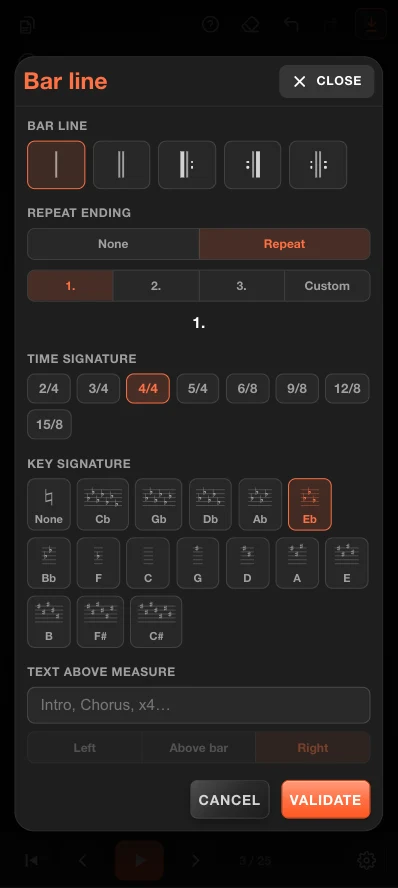
Set the key and key signature, pick any time signature (from 2/4 to 15/8), add repeat barlines, multiple endings and section labels, split a bar into several chords, and adjust measure width. Even demanding arrangements stay readable.
A full chart in minutes - export to PDF
Sketch an entire song in just a few minutes, then export a clean, printable PDF to share with your bandmates or bring on stage.
Everything included, free
All core features are available at no cost. No sign-up, no ads, no tricks.
Interactive Piano & Guitar
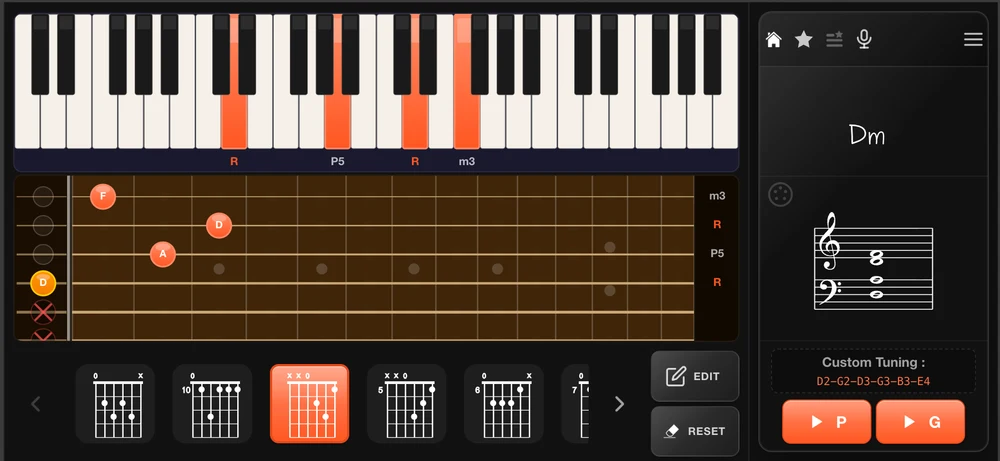
Press any combination of keys or frets and get an instant chord identification with correct musical notation.
3,500+ Recognized Chords
Major, minor, diminished, augmented, 7ths, 9ths, suspended - every chord family covered for all skill levels.
Real-Time Audio Transcription
Point your microphone at an instrument and let the app transcribe the notes it hears in real time.
Guitar, Banjo & More
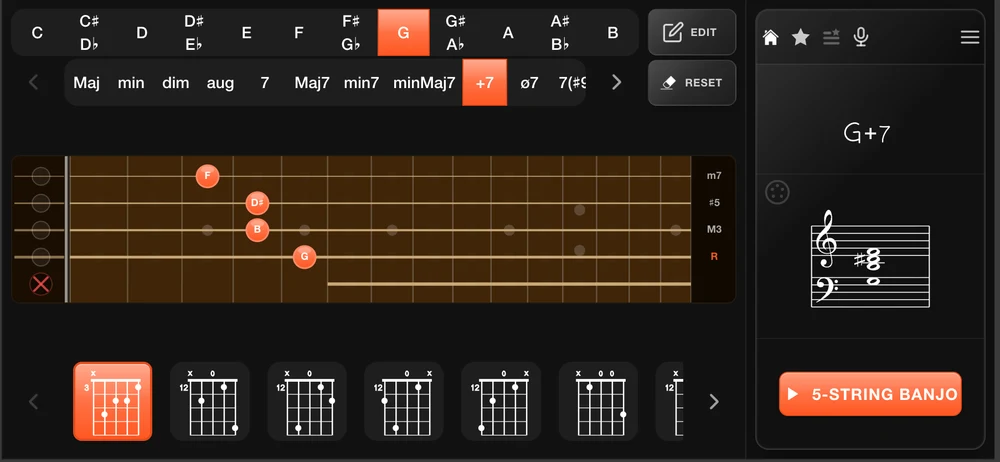
Complete chord dictionary for 6-string guitar, banjo and mandolin, with algorithmic positions for every chord.
Smart Notation Detection
Automatic handling of slash bass chords, encrypted notation, inversions and enharmonic equivalents.
Zero Advertising
No banners, no interstitials, no data harvesting. The app respects your focus and your privacy.
Two instruments, one bridge
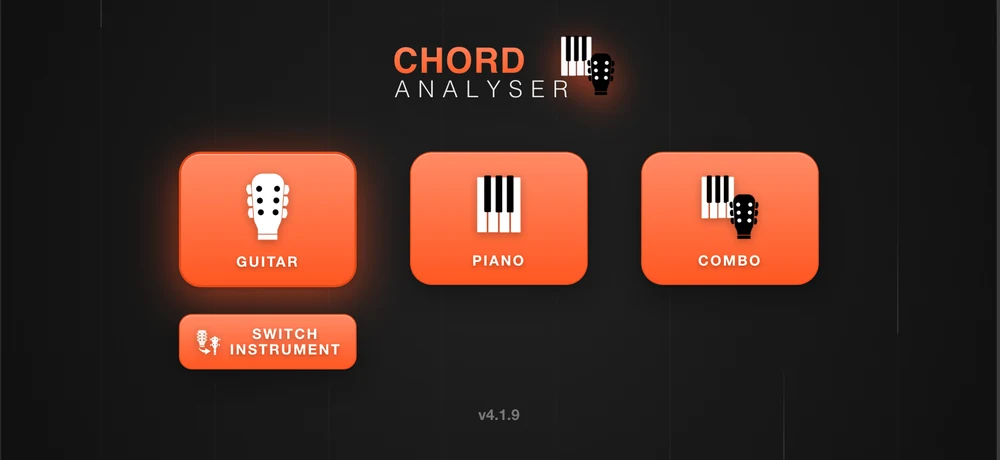
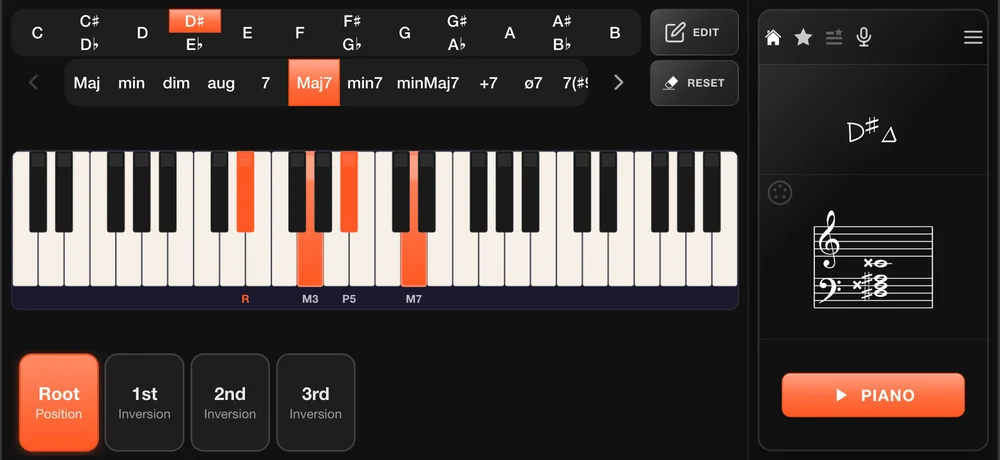
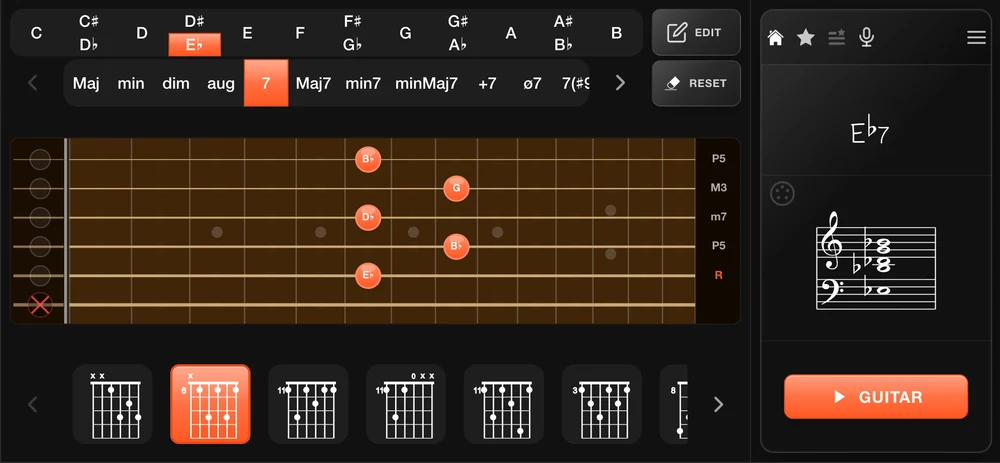
The piano keyboard lets you press any combination of notes and instantly identify the chord with its most accurate notation. Switch to the guitar neck to see every playable fingering position for that same chord.
The two interfaces are always in sync - change the chord on one and the other updates immediately. The combo view displays both simultaneously.
Piano, Guitar, and a lot more
Chord Analyser supports over 10 instruments with a full chord dictionary and computed positions for every single chord - not just the common ones.
Guitar, Piano, Banjo (4 & 5 strings), Ukulele, Mandolin, Violin, 7-string guitar, and open tuning variants. All accessible from the same interface.
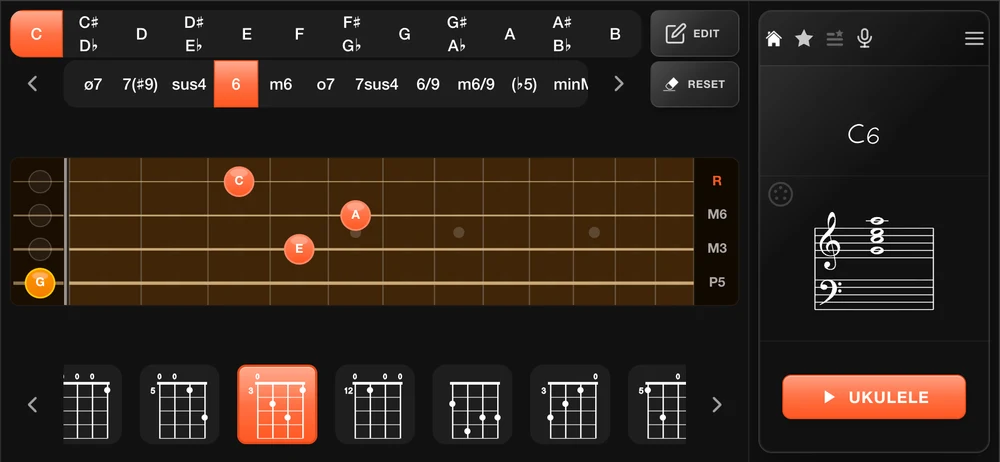
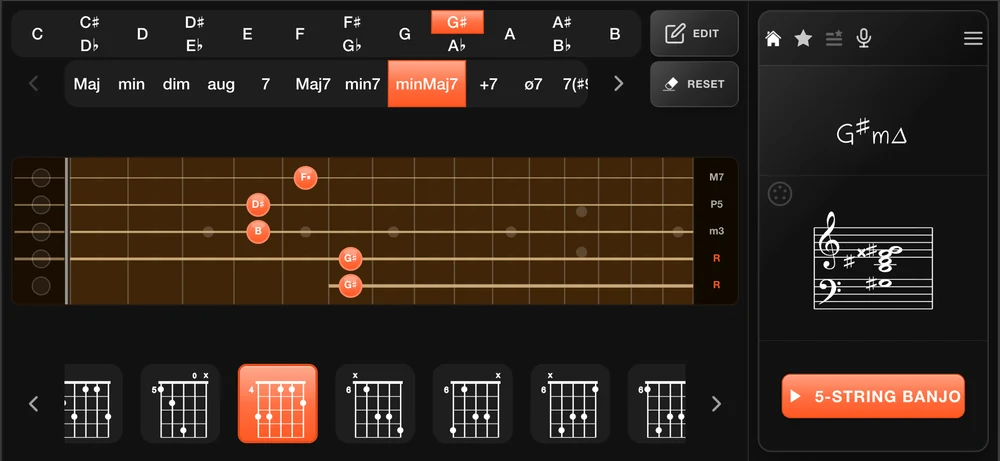
Not a dictionary - a calculator
Most chord apps rely on a static database: a fixed list of known positions, nothing more. Chord Analyser works differently.
Every chord position is computed on the fly by an algorithm that understands music theory. It generates all theoretically valid voicings - including inversions, slash bass chords, and positions that no book has ever listed.
This means it works with any tuning. Open D, Drop C, DADGAD, custom tunings - the engine recalculates every position from scratch. A static dictionary simply cannot do that.
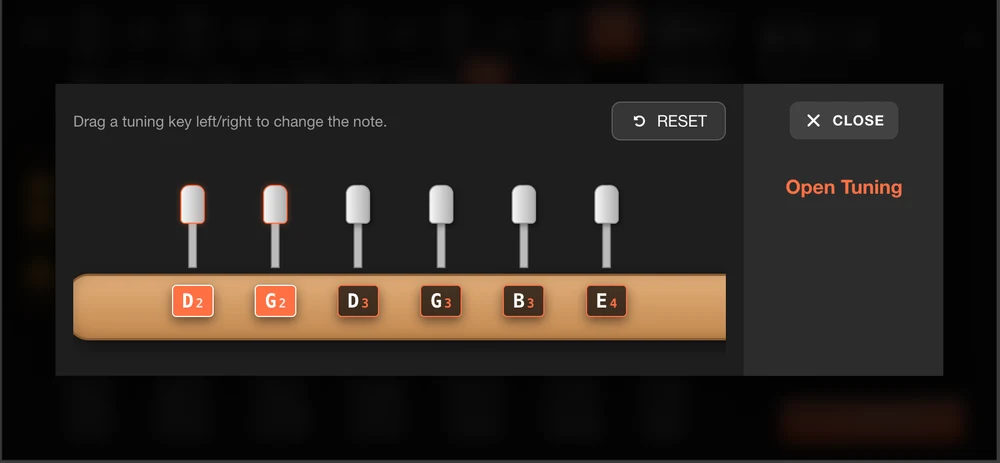
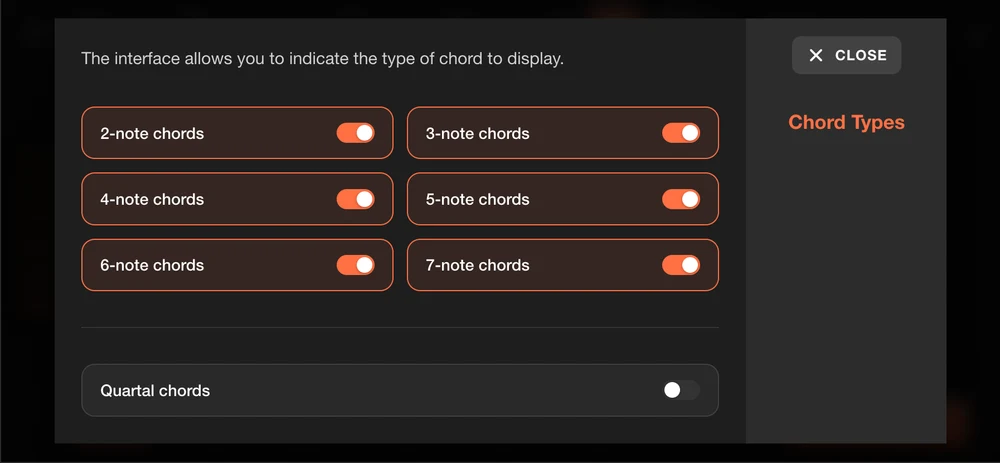
Every chord type, every position
Browse over 3,500 recognized chords filtered by type - major, minor, diminished, augmented, dominant 7ths, suspended, and beyond. Select any chord to see all theoretically valid positions across all supported instruments.
Slash bass chords, inversions and encrypted notations are all handled automatically.
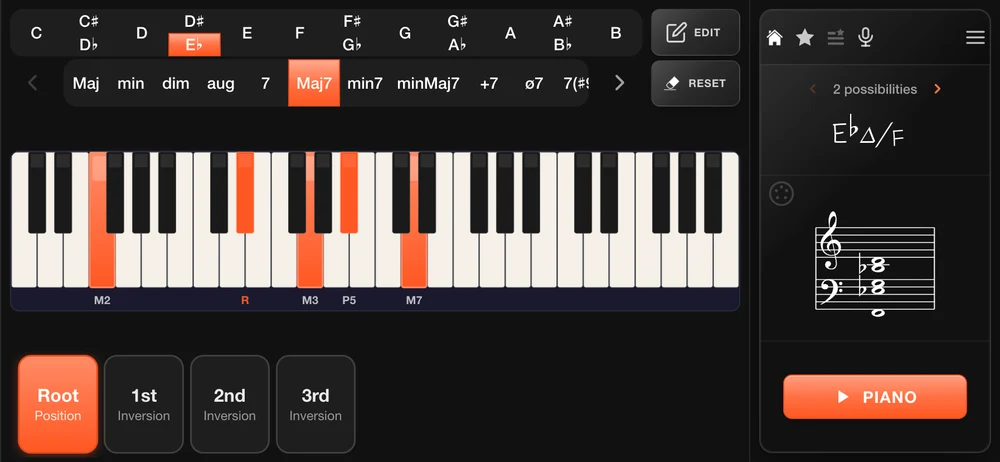
Hear it, name it
Activate the microphone and point your device at any instrument - the app listens in real time and identifies the notes being played, displaying the corresponding chord instantly.
No internet connection required. All audio processing is done on-device.
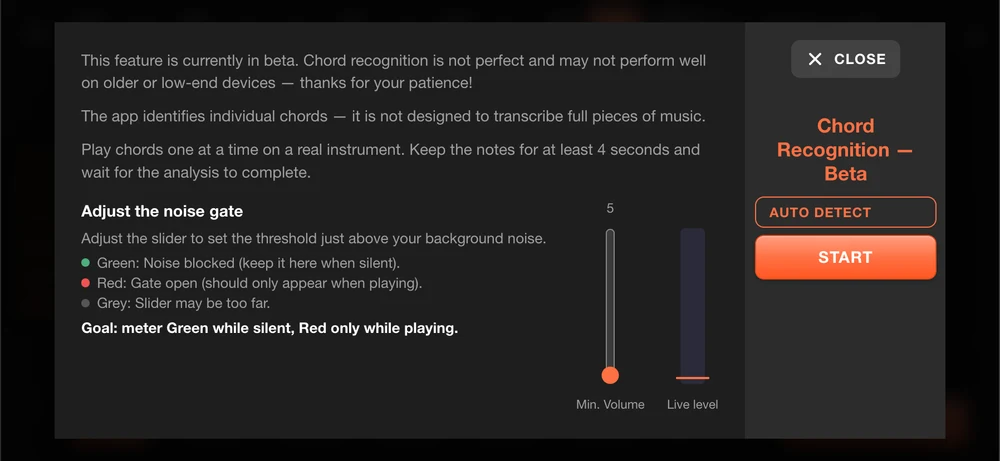
Take it further
The optional Premium upgrade unlocks advanced instruments, additional interfaces and professional-grade connectivity. A one-time purchase that supports continued development.
 Unlock on Google Play
Combined Piano-Guitar
See piano and guitar simultaneously for real-time transposition and comparison.
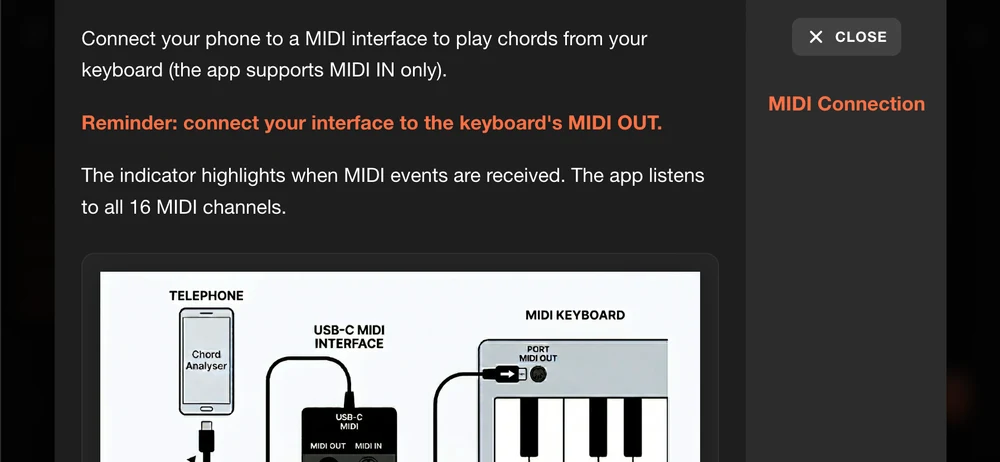
MIDI Connection
Connect an external MIDI keyboard or controller to play and detect chords directly from your hardware.
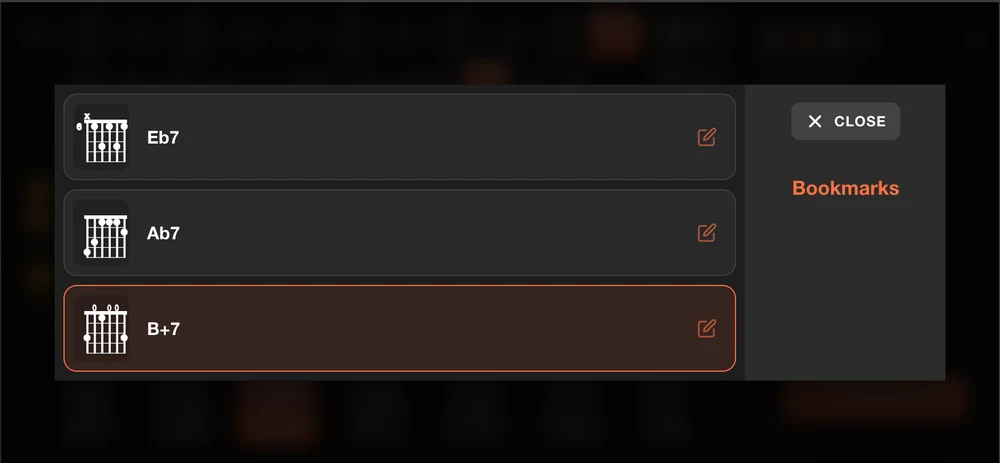
Bookmarks
Save your favourite chords and access them instantly from a dedicated list.
Left-handed mode
Mirror the fretboard for left-handed players - every position displayed correctly.
Extended instrument support
Premium unlocks 7 additional instruments with full chord dictionaries and algorithmic positions.
Ukulele 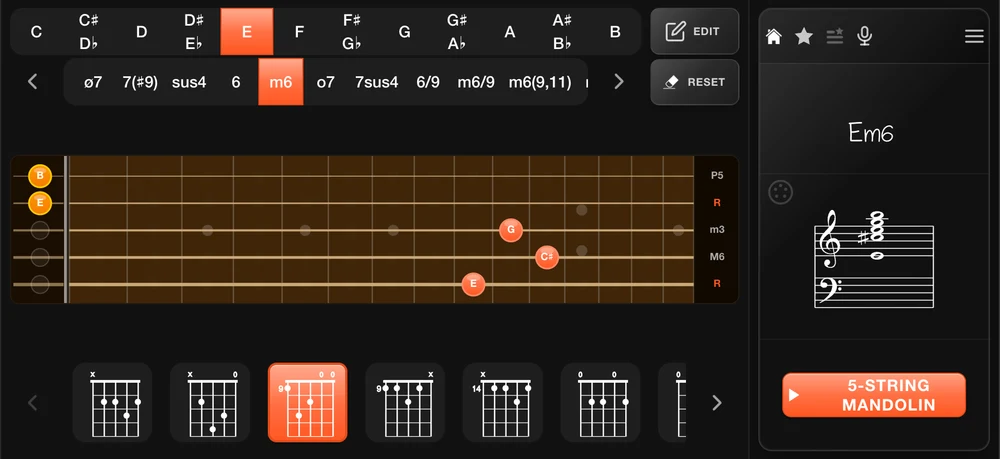 Mandolin 5-string Banjo Open tunings
 Full chord dictionary and positions for extended range guitar.
Advanced polyphonic audio analysis - detect complex chords directly from an audio signal.
From beginners to professionals
Chord Analyser was designed to serve musicians at every level, from the first lesson to the recording studio.
Learners
Understand the theory behind every chord you play. Visualize fingering positions and notations simultaneously.
Composers
Find the perfect notation for a chord you hear in your head. Explore inversions and alternative voicings.
Performers
Quickly decode chords from scores or recordings. Build a repertoire of chord shapes ready for any song.
Cross-instrument players
Translate chord notation between piano and guitar effortlessly. Bridge the gap between instruments.
Ready to explore chords?
Free to download, free to use. On Android and on iPhone.
Download on Google Play